

Wallet

All payment methods in one place

Apple Pay, Google Pay, PayPal, and more methods – consistently available and configured the same in QR code payment and in the app.

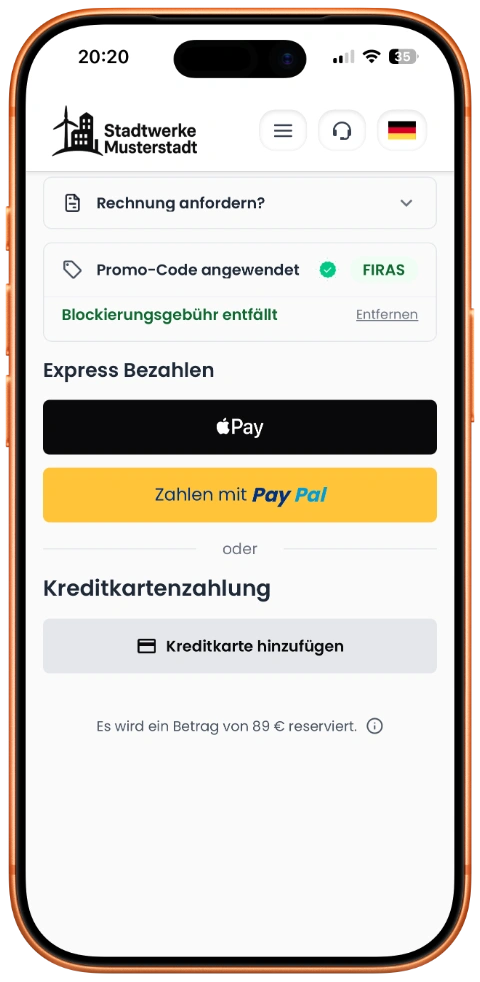
Smartphone showing payment selection in the OB7 app
Apple Pay

Apple Pay

Google Pay

Google Pay

PayPal

PayPal

SEPA Direct Debit

SEPA Direct Debit

Promotion Codes

Discounts that (almost) configure themselves

Create individual promotion codes with flexible rules – from validity periods to usage limits.

promo-code-config
Apply promo code
Enter promo code
Flexible for every customer

Private or business – one setup for all channels

Whether your customer pays privately via Apple Pay or uses SEPA direct debit as a business client: the same rules apply consistently across app and QR code payment.

Private
Smartphone showing private payment flow

Fast & contactless payment

End customers pay with Apple Pay, Google Pay, or PayPal – no card details needed, done in seconds.

Business
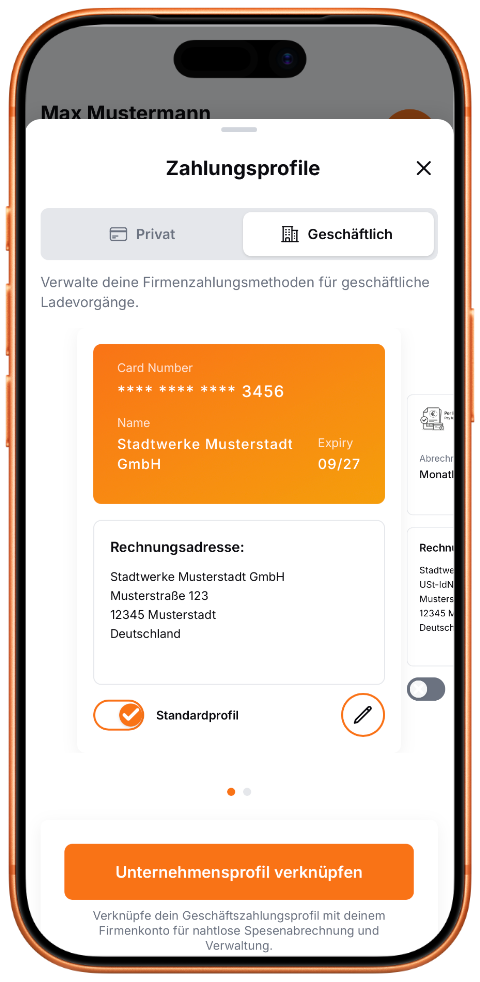
Smartphone showing business payment profile

Company profiles with invoice billing

Business customers use separate payment profiles, SEPA direct debit, and automated invoicing.

And much more

More control for B2B payments

Additional capabilities for operators and companies – from flexible pre-authorization to intelligent invoicing rules.

Pre-authorization per charge point

Pre-authorization amounts are fully configurable – per payment method and per charge point. Different amounts for AC and DC charge points are supported.

Payment profiles via Business Hub

Companies provide payment profiles centrally in the Business Hub and grant access selectively to employees and drivers.

B2B invoicing rules

Define payment terms and invoice thresholds so invoices are created only once a minimum amount is reached.

FAQs

Frequently Asked Questions

Everything about payment methods, currencies, and promotion codes – in QR code payment and in the app.

What payment methods are supported?

Available payment methods are freely configurable and depend on your Payment Service Provider (PSP). There is no difference between QR code payment and app usage – configured methods are available consistently across channels. Typical options include Apple Pay, Google Pay, PayPal, credit cards (Visa, Mastercard, Amex), and prepaid balance. SEPA direct debit is intended for app and company profiles, but not for QR code payment.

What currencies are supported?

OB7 supports all currencies worldwide in principle. The only requirement is that the respective currency is supported by your Payment Service Provider and the chosen payment method.

What are payment profiles?

A payment profile is a combination of a payment method and a billing address. Customers can create as many profiles as they need – e.g., one for private and one for business charging sessions.

Can payment profiles be shared within a company?

Yes. In company profiles, payment profiles can be shared with employees. The company grants individual employees access to specific payment profiles – giving you full control over cost allocation.

How do promotion codes work?

In the admin system, you can create individual promotion codes – with a custom name, validity period, maximum redemption count, and discount type (e.g., on charging, blocking, or parking fees). Your customers enter the code in QR code payment or in the app – the discount is applied automatically.

How does authorization work for charging sessions?

An amount is pre-authorized at charging start. After charging ends, the actual amount is charged. For prepaid, the balance is debited in real-time.

Can the pre-authorization amount be configured?

Yes, the pre-authorization amount can be set freely per payment method. It can also be configured per charge point – e.g., different amounts for AC and DC charging points.