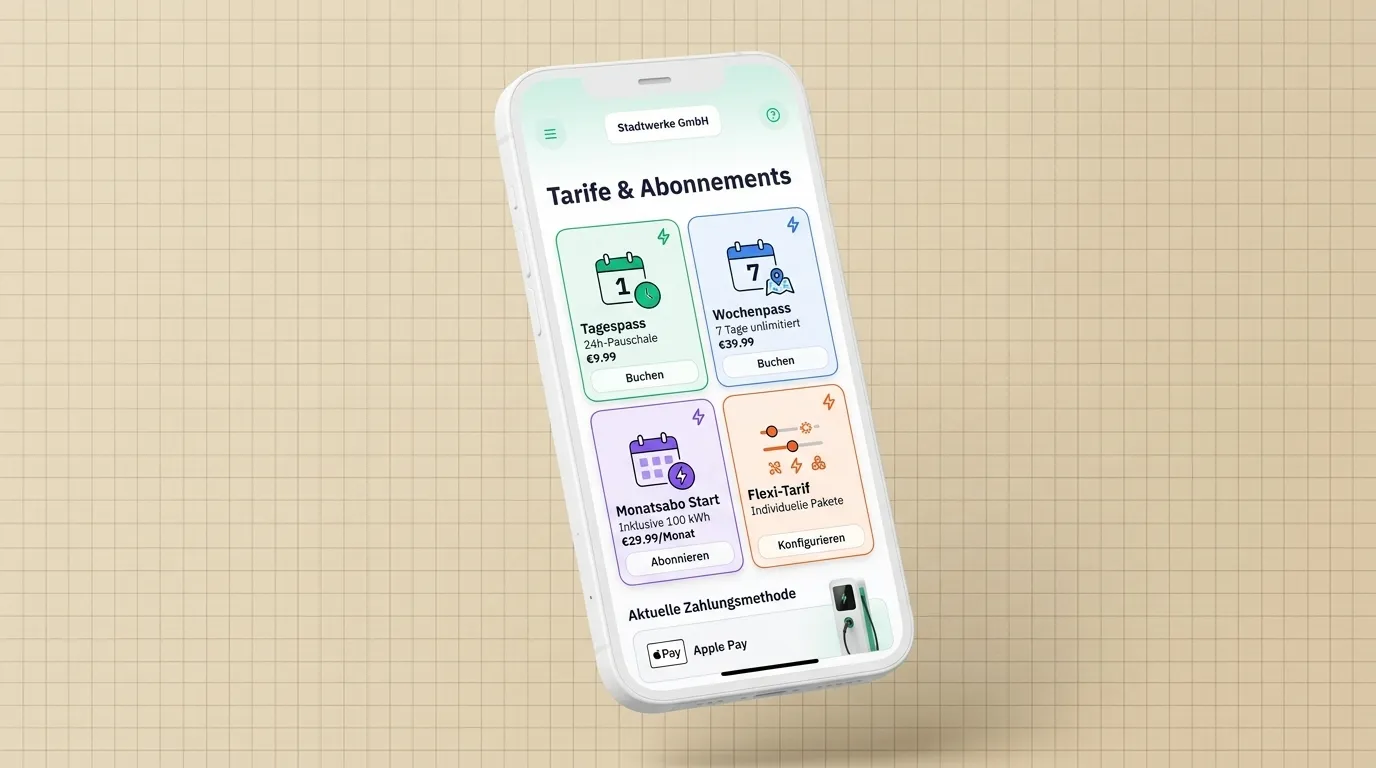
Subscriptions & benefit passes

Recurring subscriptions and time-limited benefit passes—one system to configure, under your brand.

Two models

One system – two ways to drive loyalty

Subscriptions with separate intervals for billing and benefits—comparable to what drivers get from established charging apps, under your brand. They combine the building blocks drivers know from public charging apps: a base fee with a lower kWh price, tiered profiles by usage, stronger discounts for longer commitment or annual billing—while keeping billing and benefits technically separate as you need. Benefit passes add a one-time fee and fixed duration—for time-boxed campaigns—in the same system.

Subscriptions

  • From a simple monthly plan with a kWh discount to tiered profiles—billing period and subscription interval configured separately (daily to yearly)
  • Several subscription intervals inside one billing period—e.g. weekly benefits with monthly billing
  • Balance each subscription interval: refill (reset at period end, unused expires) or stack (balance keeps building)
  • Trip discounts and free unlocks—benefits renew each subscription interval while the subscription is active

Benefit passes

  • One-time fee; duration starts after purchase confirmation
  • Balance, discount, and free unlocks for the pass window—optionally end benefits when pass balance runs out
  • App copy, status, and site scoping—the pass only where you enable it
  • No subscription required: campaigns, day or month passes alongside running subscriptions

Overview

Subscriptions and benefit passes at a glance

First, typical subscription patterns and how billing and benefits are independent. Second, benefit passes as a separate product for one-off campaigns.

Billing period and benefit timing, independently

Subscription

Typical customer segments (schematic)

Casual & entrylower base fee
Commutersbalanced profile
Power users & fleetslowest kWh price

Whether usage-based tiers, monthly or annual subscriptions with kWh discounts—with OB7 you develop your own successful products, end to end under your brand.

You choose when customers are charged (billing) and when benefits like balance are granted (subscription interval). Each has its own cadence—the bar shows several subscription intervals fitting into one billing period.

RefillStack

Balance each subscription interval: Refill renews balance at period end (unused expires). Stack adds balance that keeps accumulating without expiring.

One payment, fixed duration

Benefit pass

A second product beside the subscription—great for campaigns without mixing subscription logic.

One-time fee; duration starts after purchase confirmation. Balance, discount, and free unlocks apply to trips during the pass window—or end when pass balance is used up, if you enable it.

Locations

Subscriptions and benefit passes are available only at selected sites.

Discount & unlocks

Percentage discount and free unlocks during the valid period.

Balance

Balance per period or pass – depending on mode.

Configuration

How to set up subscriptions and benefit passes in the admin system

Self-service in the admin system—the same fields you use there: availability, intervals and time windows, balance mode, discounts, and pass options. Summarized here for sales and marketing.

Information & availability

Title, short and long copy for the app, status (active/inactive), and assignment to locations—subscriptions and benefit passes are only bookable where you release them.

Billing period & subscription interval

Two separate clocks: intervals from daily to yearly for billing and for granting benefits. The subscription interval cannot be longer than the billing period; several subscription intervals within one billing period are possible.

Balance mode (refill & stack)

Balance each subscription interval: refill replaces balance at period end and unused amount expires. Stack adds new balance that accumulates without expiring.

Discounts & free unlocks

Percentage discount on trips in the valid window and free unlocks—tied to the subscription interval for subscriptions, or for the whole pass duration on passes.

Pass-specific

Duration in days, weeks, or months; one-time fee with the tax rate and currency of the customer’s location. Optionally discounts and free unlocks end when pass balance is exhausted.

FAQs

Frequently Asked Questions

Subscriptions, benefit passes, time windows, and balance—plus setup in the admin system via self-service.

Where do I configure subscriptions and benefit passes?

In the OB7 admin system—via self-service, without opening tickets with us. The settings summarized on this page are the same ones you adjust there for charge points, charge point groups, users, and user groups.

Can I model typical subscription patterns from public charging?

Yes. Many networks use similar subscription building blocks: a recurring base fee with a lower kWh price, tiered tariffs by usage profile, stronger discounts for longer commitment or annual billing, plus extras such as perks for existing customers or consistent pricing across partner networks. You can combine those subscription patterns in OB7 and explain them in your app—focused on subscriptions the way you want to offer them.

Which intervals can I set for billing and the subscription?

Daily, weekly, monthly, quarterly, or yearly—for the billing period and the subscription interval independently. For example you can bill monthly and grant benefits such as balance weekly.

What is the difference between the billing period and the subscription interval?

The billing period is when the recurring fee is due. The subscription interval is how often benefits such as balance are granted. They can differ; several subscription intervals can fall inside one billing period. The subscription interval cannot be longer than the billing period.

What is the difference between refill and stack for balance?

Refill: at the end of each subscription interval balance is refreshed and unused amount expires. Stack: new balance each interval keeps accumulating without expiring.

How does billing work for a subscription?

Each time your chosen billing period ends, the fee is charged using the tax rate and currency for the customer’s usage region. That is independent of how many subscription intervals and benefits run in the same window.

Can end customers switch between subscriptions and benefit passes?

Yes, if you allow it. You define whether a switch applies immediately or at the next billing period.

When should I use a subscription versus a benefit pass?

Subscriptions suit recurring fees and benefits each subscription interval. A pass uses a one-time fee and a fixed duration after purchase—ideal for promotions, short commitment, or without subscription commitment.

What can I configure on a benefit pass?

One-time fee, duration after purchase confirmation, balance, discount, and free unlocks for the pass window, app copy, and site scoping. Optionally discounts and free unlocks end when pass balance runs out.

Can I limit subscriptions and passes to specific usage regions?

Yes. You define the usage regions—only customers in those regions see the offer in the app.

Can I offer trials or special terms for business customers?

Trials and introductory pricing are possible where your configuration for subscriptions and benefit passes supports them. For business and B2B you can define separate commercial terms, discounts, and invoicing rules.

How do customers cancel a subscription?

Via the app if you allow cancellation there. You set notice periods and whether the subscription runs until the end of the paid period.

Who can purchase subscriptions and benefit passes?

Only registered end customers. Subscriptions and benefit passes can be purchased only with a customer account in your app.